

Ways to get account credit
- Add funds yourself in advance (below).
- Downgrade a plan: the price difference is added as credit. See Upgrade or downgrade a plan.
- Refunds: an approved refund can go to your account credit instead of your bank or card, if you prefer. See Refund policy.
Add funds
1
Open Add Funds
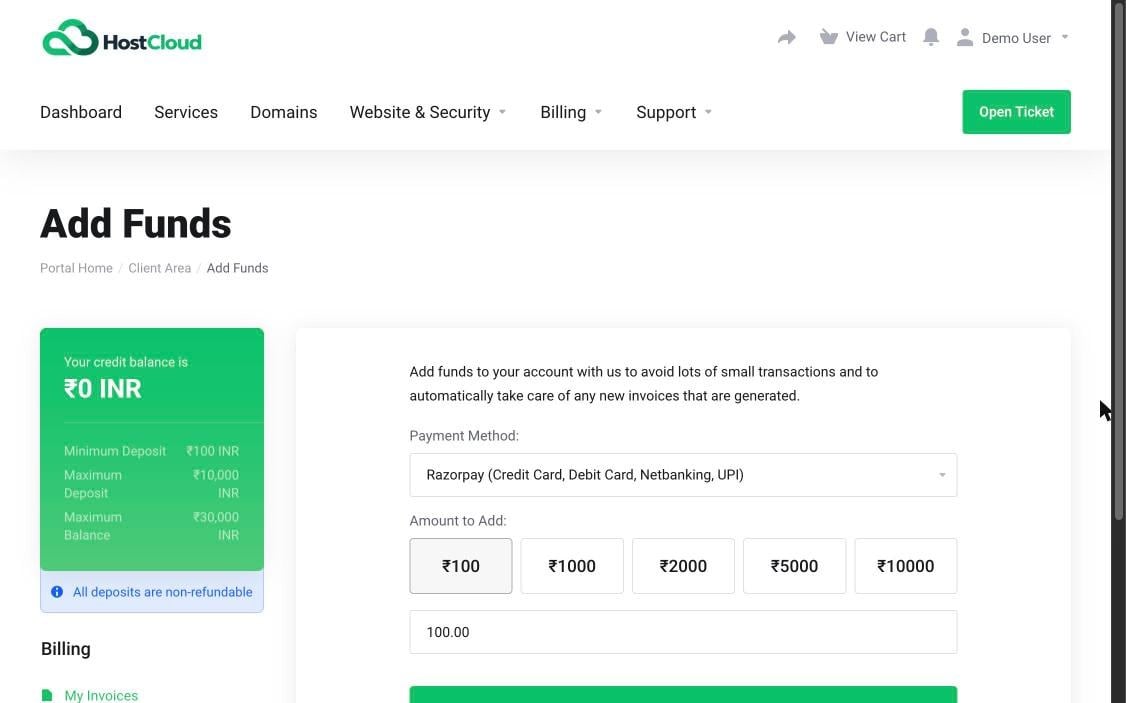
In the Client Area, open Billing and choose Add Funds. Your current credit balance is shown at the top left.
2
Choose a payment method
Choose how you’ll pay in Payment Method.
3
Enter an amount
Under Amount to Add, click a preset amount (₹100, ₹1000, ₹2000, ₹5000 or ₹10000) or type your own.
4
Pay
Click Add Funds and complete the payment. The amount is added to your credit balance once payment is confirmed.
Limits
GST isn’t charged when you add funds. GST is charged as usual on the invoices for your services, which your credit then pays. See Currency, GST and tax invoices.