

What you need
To open the server panel, click Services in the top menu (page: My Products & Services), then open your VPS.
Connect
In the commands below, replace203.0.113.10 with your server’s IP address.
- Windows
- Mac / Linux
Windows 10 and 11 include SSH, so you don’t need to install anything.
1
Open PowerShell
Press the Windows key, type
PowerShell and open it.2
Connect
Type this and press Enter:
3
Accept the server's fingerprint
The first time you connect, you’ll be asked whether you trust the server. Type
yes and press Enter.4
Enter your password
Paste or type the password from your welcome email and press Enter. Nothing appears on screen while you type. That’s normal.
#, you’re logged in as root.
If your welcome email gives a different SSH port, add it to the command with
-p. For example, ssh -p 2222 root@203.0.113.10.Forgot the root password?
1
Open the Overview tab
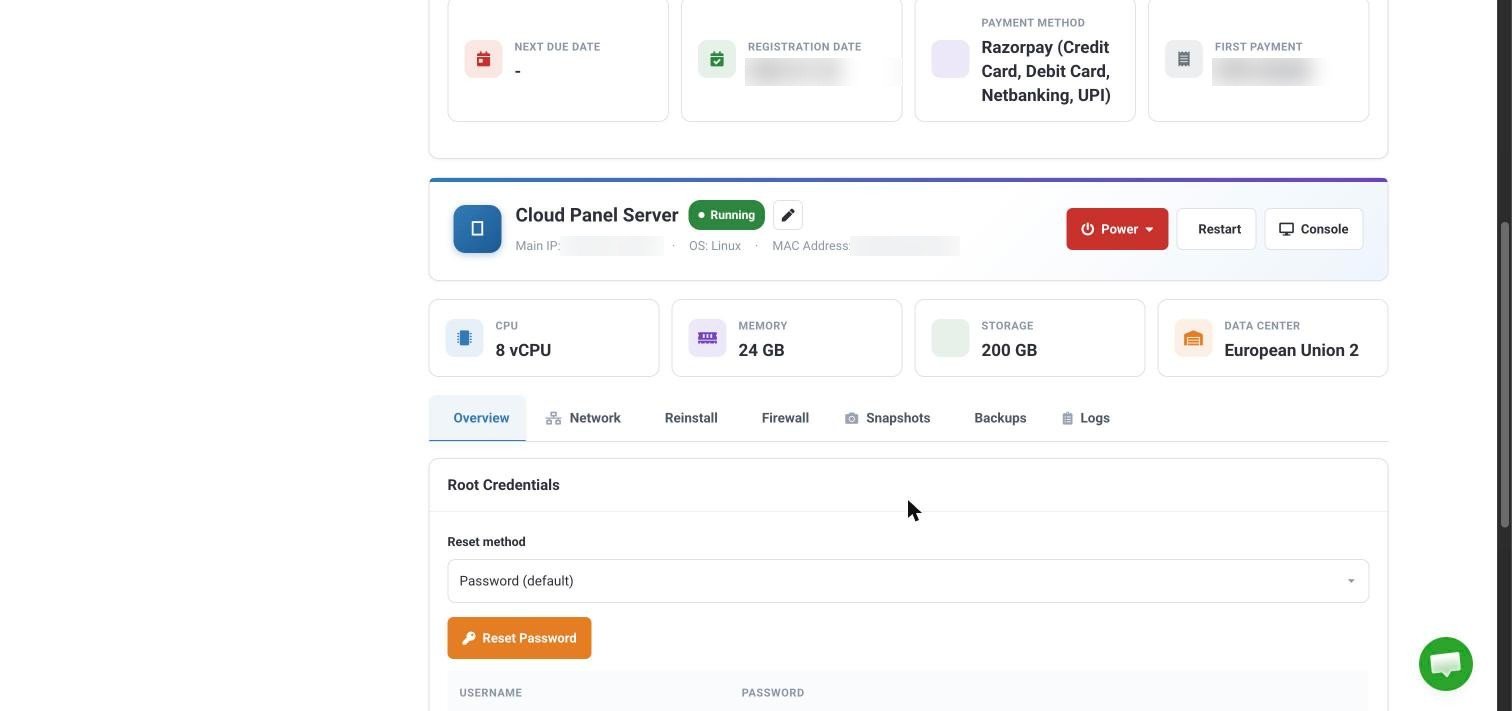
On the server panel, click the Overview tab and find Root Credentials.
2
Reset the password
Leave the reset method as Password (default) and click Reset Password.
Can’t connect?
Connection timed out or refused
Connection timed out or refused
Check that the server is running: the server panel should show Running. If it doesn’t, use Power to start it, or click Restart. If you’ve set up a firewall on the Firewall tab or inside the server, make sure it allows SSH.
Permission denied
Permission denied
The password is wrong. Copy it again carefully, with no extra spaces, or reset it as shown above.
I locked myself out
I locked myself out
Click Console on the server panel. It opens your server’s screen in your browser, so you can log in and fix the problem even when SSH isn’t working.
HostCloud VPS plans are semi-managed. We help with server access and the network, and you look after the software on your server. See Support hours and what we cover.